Overview
Overview
Educational app for 11–12 year-old students
Educational app for 11–12 year-old students
Users
Users
First-year middle school students (11–12)
Limited attention span, requiring simple and focused interactions
Need for clear guidance to support task completion
First-year middle school students (11–12)
Limited attention span, requiring simple and focused interactions
Need for clear guidance to support task completion
Role
Role
UX audit, user interviews and user testing,
Planned and conducted user testing with children and parents to identify friction points and inform UX improvements,
With the goal of creating a clearer and more intuitive experience.
UX audit, user interviews and user testing,
Planned and conducted user testing with children and parents to identify friction points and inform UX improvements,
With the goal of creating a clearer and more intuitive experience.
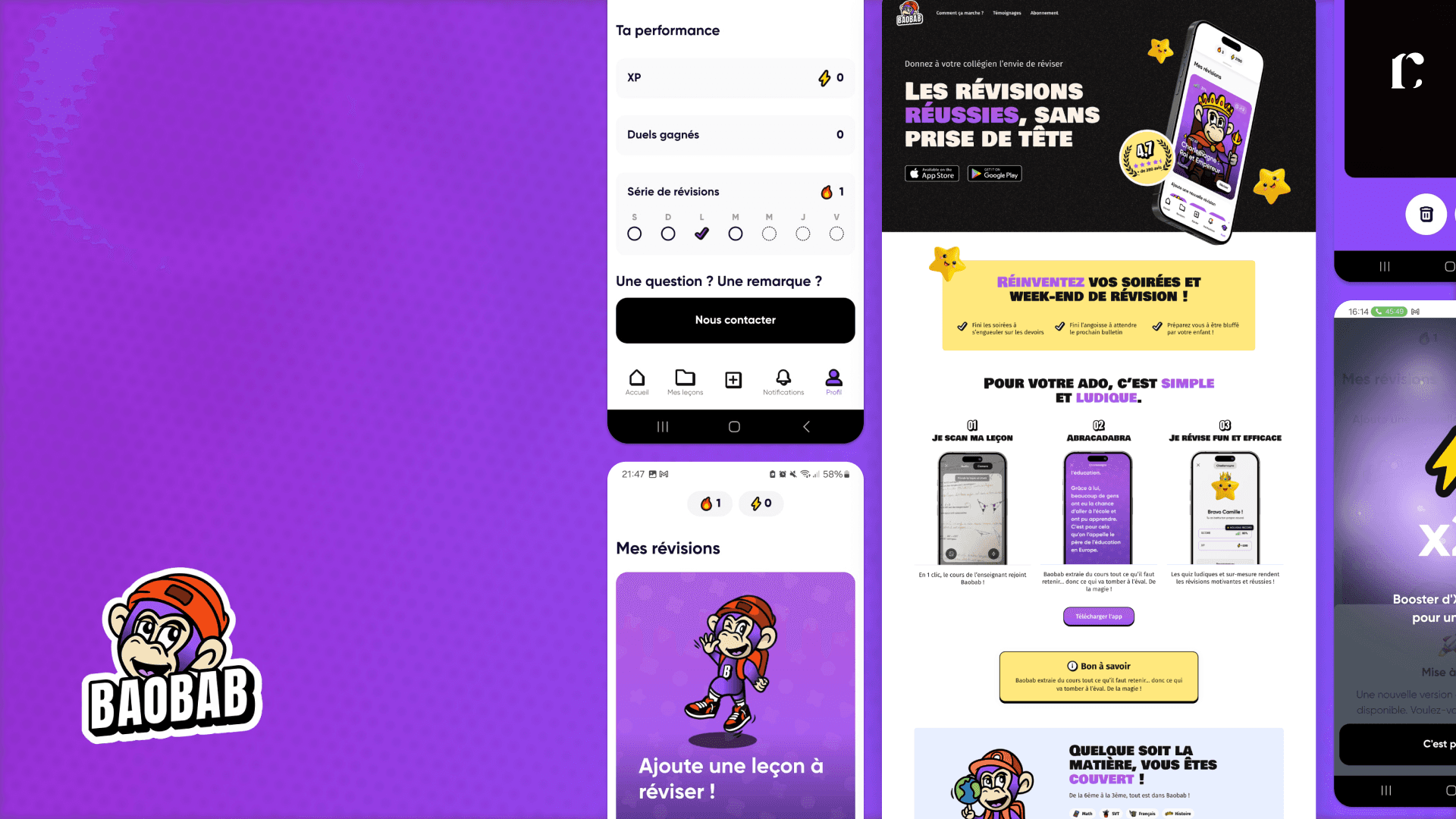
Frictions
Frictions
Navigation and comprehension issues limiting user autonomy
Friction in key user flows
Hesitation and task abandonment
Engagement decreasing over time despite an initially positive experience
Navigation and comprehension issues limiting user autonomy
Friction in key user flows
Hesitation and task abandonment
Engagement decreasing over time despite an initially positive experience
Goals
Goals
Improve usability, clarity and gamification for children aged 11–12
Strengthen engagement through simple, age-appropriate gamification
Enhance the experience while working within the constraints of the existing MVP
Improve usability, clarity and gamification for children aged 11–12
Strengthen engagement through simple, age-appropriate gamification
Enhance the experience while working within the constraints of the existing MVP
Challenges
Challenges
Audit
Audit
Challenge
Challenge
The audit was conducted upfront to identify structural usability, accessibility, and consistency issues, and to inform the testing scenarios and interview guides. Objectives:
The audit was conducted upfront to identify structural usability, accessibility, and consistency issues, and to inform the testing scenarios and interview guides. Objectives:
Objectives
Objectives
Identify structural usability issues across key user journeys
Assess accessibility barriers impacting inclusive use
Evaluate visual and interaction consistency across the platform
Inform test scenarios and interview guides with evidence-based findings
Identify structural usability issues across key user journeys
Assess accessibility barriers impacting inclusive use
Evaluate visual and interaction consistency across the platform
Inform test scenarios and interview guides with evidence-based findings
User Interviews
User Interviews
Approach
Approach
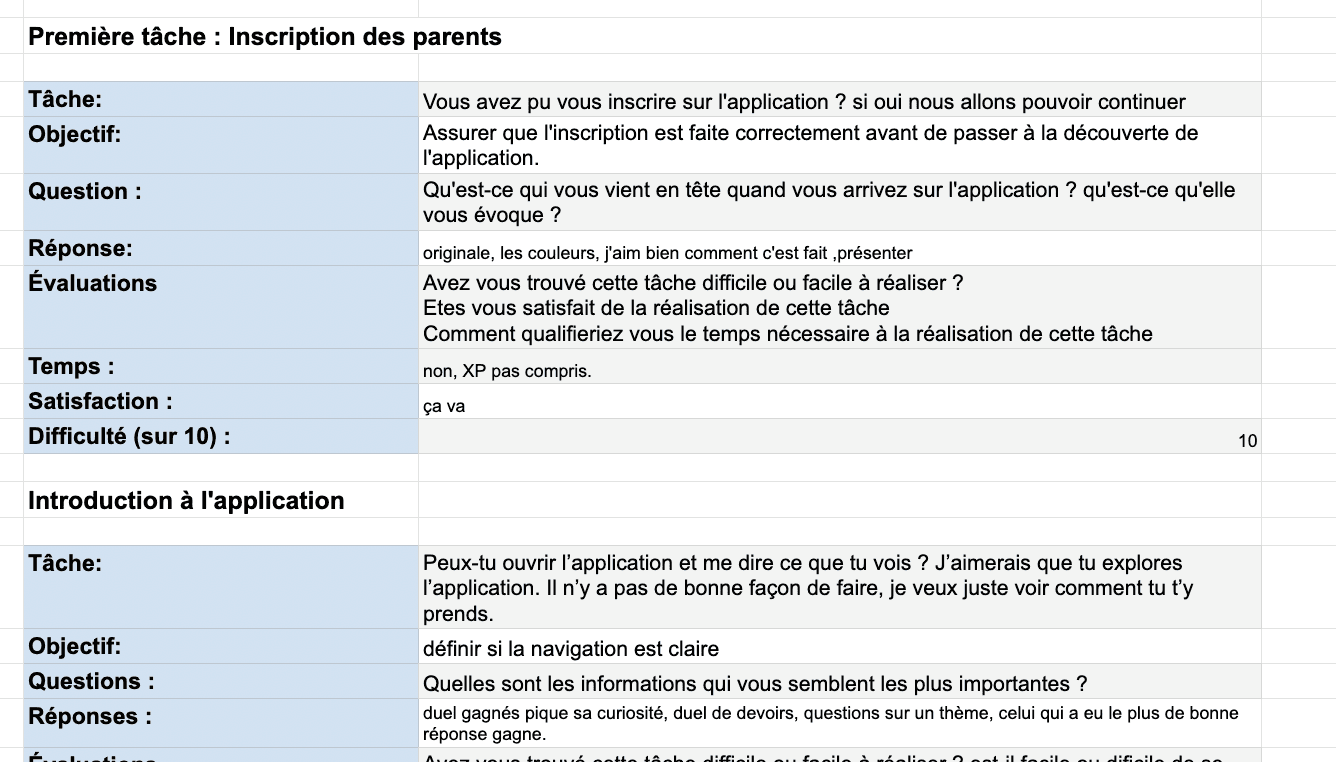
Semi-structured interviews with parents to explore how they and their children use the Baobab app for homework support, uncover pain points, understand routines, and gather expectations around usability, clarity, and learning effectiveness.
Semi-structured interviews with parents to explore how they and their children use the Baobab app for homework support, uncover pain points, understand routines, and gather expectations around usability, clarity, and learning effectiveness.
Objectives
Objectives
Understand homework routines and usage contexts
Validate usability issues identified in the audit
Explore trust and safety expectations
Identify unmet needs in homework guidance and motivation
Understand homework routines and usage contexts
Validate usability issues identified in the audit
Explore trust and safety expectations
Identify unmet needs in homework guidance and motivation
User Tests
User Tests
Approach
Approach
Scenario-based usability tests with parents and children to assess clarity, ease of use, and error prevention when completing homework-related tasks in the Baobab app.
Scenario-based usability tests with parents and children to assess clarity, ease of use, and error prevention when completing homework-related tasks in the Baobab app.
Problem statement
Problem statement
Observe how parents and children complete homework tasks in the app
Validate usability issues identified in the audit under real usage conditions
Assess clarity, feedback, and ease of use of key features
Identify friction points and unmet needs in daily homework workflows
Observe how parents and children complete homework tasks in the app
Validate usability issues identified in the audit under real usage conditions
Assess clarity, feedback, and ease of use of key features
Identify friction points and unmet needs in daily homework workflows
Insights
Insights
Key pain points
Key pain points
Lack of guidance and visual consistency, causing navigation hesitation (observed during usability testing)
Insufficient system feedback during loading and image processing, creating uncertainty about system status
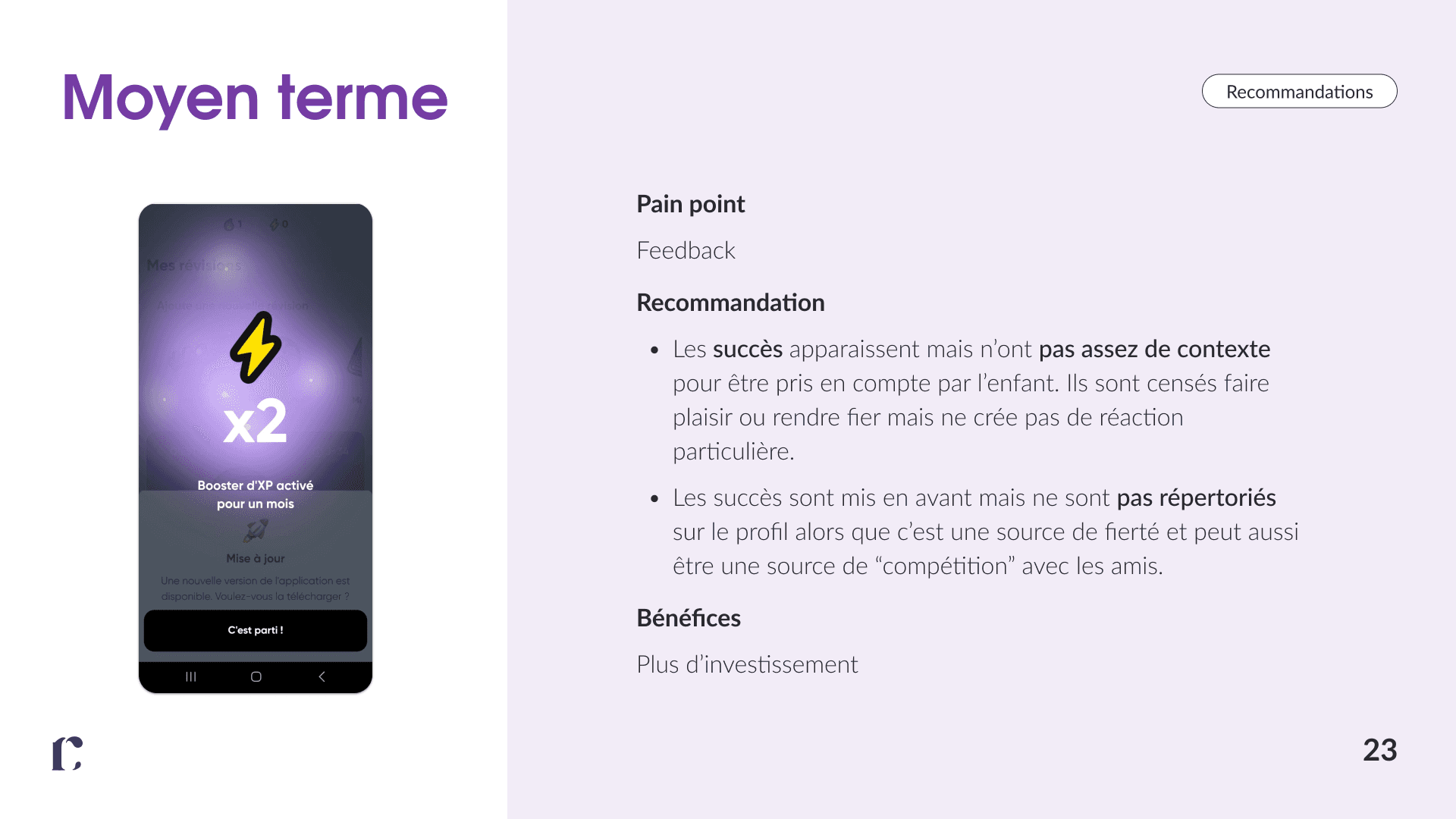
Gamification elements (achievements) lacked context and visibility, reducing perceived value
Limited personalization options, weakening emotional engagement over time
Lack of guidance and visual consistency, causing navigation hesitation (observed during usability testing)
Insufficient system feedback during loading and image processing, creating uncertainty about system status
Gamification elements (achievements) lacked context and visibility, reducing perceived value
Limited personalization options, weakening emotional engagement over time
Key recommendations
Key recommendations
Harmonize illustration and icon styles to improve consistency and reduce cognitive load
Improve iconography for key actions (e.g. clearer “add course” icon) to support faster recognition
Add contextual onboarding for first-time actions and unexplored pages
Provide informative feedback during loading and image processing
Reinforce gamification by clarifying achievement meaning and visibility
Introduce personalization options (avatars, subject colors) to support long-term engagement
Harmonize illustration and icon styles to improve consistency and reduce cognitive load
Improve iconography for key actions (e.g. clearer “add course” icon) to support faster recognition
Add contextual onboarding for first-time actions and unexplored pages
Provide informative feedback during loading and image processing
Reinforce gamification by clarifying achievement meaning and visibility
Introduce personalization options (avatars, subject colors) to support long-term engagement
Outcome
Outcome
Benefits
Benefits
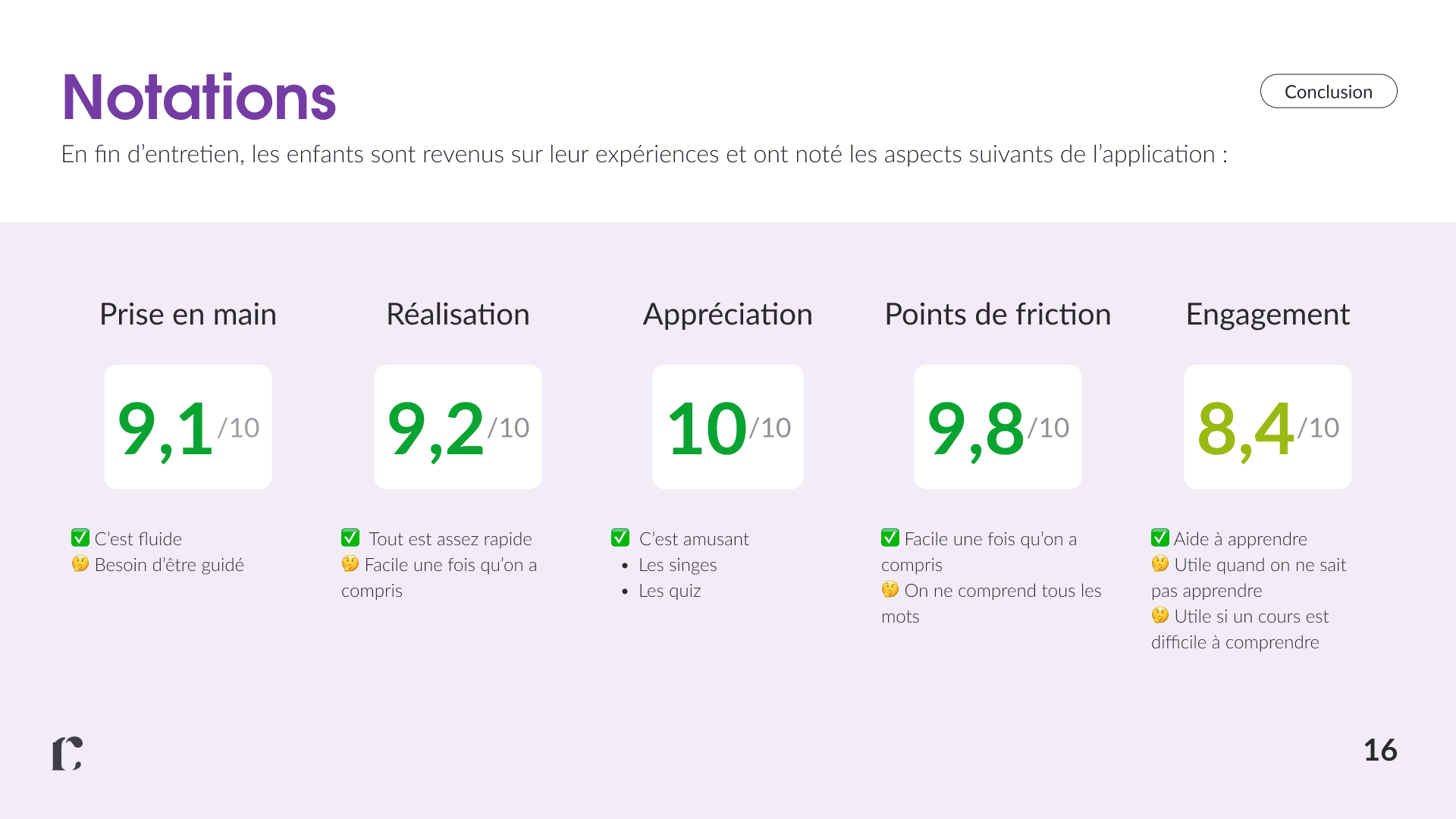
Reduced navigation errors and faster completion of key user flows, observed during usability testing
Improved user confidence through clearer hierarchy and consistent system feedback
Increased interaction with core features, especially progress tracking
Enhanced motivation supported by visible progress indicators and light, non-intrusive comparison elements
Reduced navigation errors and faster completion of key user flows, observed during usability testing
Improved user confidence through clearer hierarchy and consistent system feedback
Increased interaction with core features, especially progress tracking
Enhanced motivation supported by visible progress indicators and light, non-intrusive comparison elements
Baobab
Research and gamification
UX Research
UX Design
Baobab
Research and gamification
UX Research
UX Design
Overview
Educational app for 11–12 year-old students
Users
First-year middle school students (11–12)
Limited attention span, requiring simple and focused interactions
Need for clear guidance to support task completion
Role
UX audit, user interviews and user testing,
Planned and conducted user testing with children and parents to identify friction points and inform UX improvements,
With the goal of creating a clearer and more intuitive experience.
Frictions
Navigation and comprehension issues limiting user autonomy
Friction in key user flows
Hesitation and task abandonment
Engagement decreasing over time despite an initially positive experience
Goals
Improve usability, clarity and gamification for children aged 11–12
Strengthen engagement through simple, age-appropriate gamification
Enhance the experience while working within the constraints of the existing MVP
Audit
Challenge
The audit was conducted upfront to identify structural usability, accessibility, and consistency issues, and to inform the testing scenarios and interview guides. Objectives:
Objectives
Identify structural usability issues across key user journeys
Assess accessibility barriers impacting inclusive use
Evaluate visual and interaction consistency across the platform
Inform test scenarios and interview guides with evidence-based findings
User Interviews
Approach
Semi-structured interviews with parents to explore how they and their children use the Baobab app for homework support, uncover pain points, understand routines, and gather expectations around usability, clarity, and learning effectiveness.
Objectives
Understand homework routines and usage contexts
Validate usability issues identified in the audit
Explore trust and safety expectations
Identify unmet needs in homework guidance and motivation
User Tests
Approach
Scenario-based usability tests with parents and children to assess clarity, ease of use, and error prevention when completing homework-related tasks in the Baobab app.
Problem statement
Observe how parents and children complete homework tasks in the app
Validate usability issues identified in the audit under real usage conditions
Assess clarity, feedback, and ease of use of key features
Identify friction points and unmet needs in daily homework workflows
Insights
Key pain points
Lack of guidance and visual consistency, causing navigation hesitation (observed during usability testing)
Insufficient system feedback during loading and image processing, creating uncertainty about system status
Gamification elements (achievements) lacked context and visibility, reducing perceived value
Limited personalization options, weakening emotional engagement over time
Key recommendations
Harmonize illustration and icon styles to improve consistency and reduce cognitive load
Improve iconography for key actions (e.g. clearer “add course” icon) to support faster recognition
Add contextual onboarding for first-time actions and unexplored pages
Provide informative feedback during loading and image processing
Reinforce gamification by clarifying achievement meaning and visibility
Introduce personalization options (avatars, subject colors) to support long-term engagement
Outcome
Benefits
Reduced navigation errors and faster completion of key user flows, observed during usability testing
Improved user confidence through clearer hierarchy and consistent system feedback
Increased interaction with core features, especially progress tracking
Enhanced motivation supported by visible progress indicators and light, non-intrusive comparison elements
UX Research
UX Design
Région Nouvelle -Aquitaine
Baobab
Redesigning a school transport platform for time-pressed parents.
Boosting engagement in a homework app through gamification.
Baobab
Boosting engagement in a homework app through gamification.
UX Research
UX Design
Overview
Educational app for 11–12 year-old students
Users
First-year middle school students (11–12)
Limited attention span, requiring simple and focused interactions
Need for clear guidance to support task completion
Role
UX audit, user interviews and user testing,
Planned and conducted user testing with children and parents to identify friction points and inform UX improvements,
With the goal of creating a clearer and more intuitive experience.
Frictions
Navigation and comprehension issues limiting user autonomy
Friction in key user flows
Hesitation and task abandonment
Engagement decreasing over time despite an initially positive experience
Goals
Improve usability, clarity and gamification for children aged 11–12
Strengthen engagement through simple, age-appropriate gamification
Enhance the experience while working within the constraints of the existing MVP
Audit
Challenge
The audit was conducted upfront to identify structural usability, accessibility, and consistency issues, and to inform the testing scenarios and interview guides. Objectives:
Objectives
Identify structural usability issues across key user journeys
Assess accessibility barriers impacting inclusive use
Evaluate visual and interaction consistency across the platform
Inform test scenarios and interview guides with evidence-based findings
User Interviews
Approach
Semi-structured interviews with parents to explore how they and their children use the Baobab app for homework support, uncover pain points, understand routines, and gather expectations around usability, clarity, and learning effectiveness.
Objectives
Understand homework routines and usage contexts
Validate usability issues identified in the audit
Explore trust and safety expectations
Identify unmet needs in homework guidance and motivation
User Tests
Approach
Scenario-based usability tests with parents and children to assess clarity, ease of use, and error prevention when completing homework-related tasks in the Baobab app.
Problem statement
Observe how parents and children complete homework tasks in the app
Validate usability issues identified in the audit under real usage conditions
Assess clarity, feedback, and ease of use of key features
Identify friction points and unmet needs in daily homework workflows
Insights
Key pain points
Lack of guidance and visual consistency, causing navigation hesitation (observed during usability testing)
Insufficient system feedback during loading and image processing, creating uncertainty about system status
Gamification elements (achievements) lacked context and visibility, reducing perceived value
Limited personalization options, weakening emotional engagement over time
Key recommendations
Harmonize illustration and icon styles to improve consistency and reduce cognitive load
Improve iconography for key actions (e.g. clearer “add course” icon) to support faster recognition
Add contextual onboarding for first-time actions and unexplored pages
Provide informative feedback during loading and image processing
Reinforce gamification by clarifying achievement meaning and visibility
Introduce personalization options (avatars, subject colors) to support long-term engagement
Outcome
Benefits
Reduced navigation errors and faster completion of key user flows, observed during usability testing
Improved user confidence through clearer hierarchy and consistent system feedback
Increased interaction with core features, especially progress tracking
Enhanced motivation supported by visible progress indicators and light, non-intrusive comparison elements